
Petrello - Trello for Pebble smartwatches
Petrello is a Trello app for Pebble smartwatches.
Welcome to Petrello
Petrello is my first app for Pebble smartwatches: it’s a simple Trello client, allowing you to navigate through your boards, check/uncheck checklist items, move cards between lists and add due cards to your Timeline.
Petrello is not very powerful: it does not allow you to edit nor to add any data, it just can browse Trello and change the status of checklist items. I developed it to help me handle a list of things to buy at the supermarket and check them while I go, keeping my phone in the pocket.
Though thinked and optimized for my Pebble Classic (aplite) and its monochrome display, it’s compiled for newer models also, running basalt (Pebble Time) or chalk (Pebble Time Round).
Update July, 1, 2016
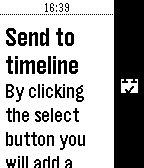
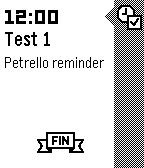
New in version 1.6: Petrello can now send your due cards to the Timeline.
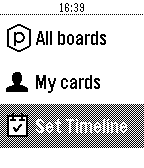
A dedicated card explains what it’s doing: Petrello will evaluate all your cards (cards assigned to you), and if they have a valid due date it will add them to your timeline.
Update June, 21, 2016
New in version 1.5:
- refactored navigation with a main menu and new ways to navigate Trello data
- bugfixes
Petrello now has a main menu with these items:
- Starred boards
- My boards (private boards, not belonging to any organization)
- Organizations (list of organizations)
- All boards (same as before)
- My cards (all cards assigned to me)
How to set it up
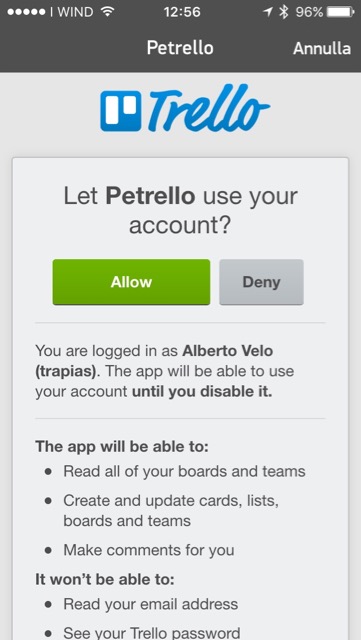
Petrello is very simple: you just have to get a Trello token to authorize the app to access your data (only you will see your data on your Pebble, I will not!), and start navigating boards, lists and cards.
Install
Install the app from Pebble App Store or from source.
Setup
In Pebble App, on your phone, open Petrello settings. You’ll see a web page asking you to login to your Trello account and to authorize Petrello to access your data, thus getting a token for it.
How does it work
When you launch the app you see a welcome screen: press any key to start navigating your boards.
Organizations and Boards
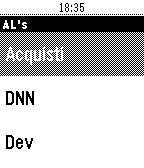
Once you have a token you can start navigating your Trello boards. The first screen you’ll see is a list of all your open boards.
Card and checklists
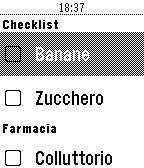
If you open a card by pressing the select button on your watch you of course open that card. If the card has checklists, you can check/uncheck items.
Accelerator
If you twist your wrist while on any list, Petrello will update the list reloading data from Trello.
Open source
Petrello is open source, you can get complete source on Github at github.com/trapias/Petrello.