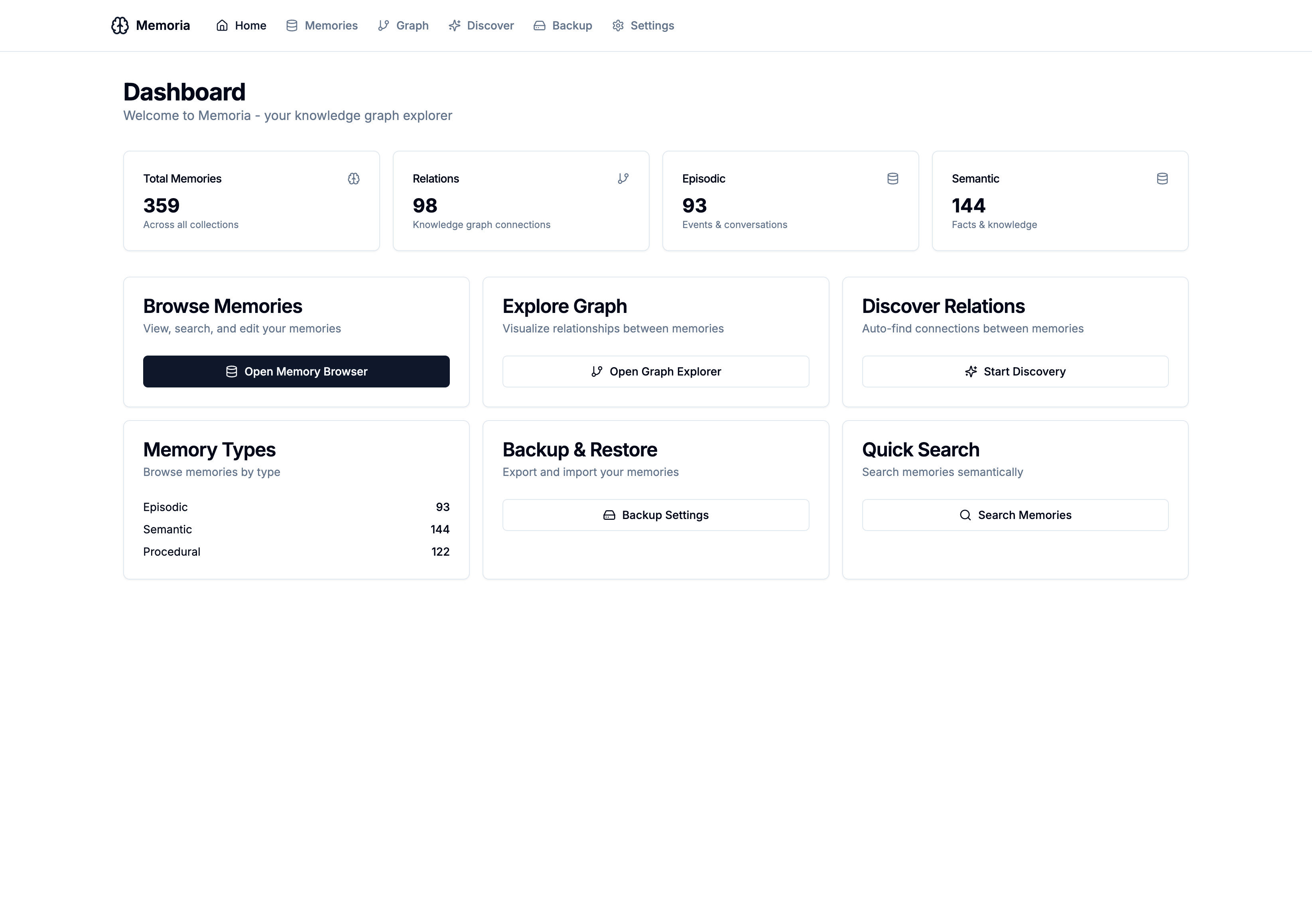
MCP Memoria - Web UI & Knowledge Graph
Memoria Gets a Web Interface
Since launching MCP Memoria - my MCP memory server built with Claude Code - in January, I’ve been working on a major enhancement: a full-featured Web UI that makes it easy to explore, manage, and visualize your AI memories.
The new interface transforms Memoria from a command-line MCP server into a more complete knowledge management system.
This is a side project for me, it’s not meant to compete with more sophisticated and powerful systems out there: it’s a tool I built for myself, I’m using it every day, am satisfied by the results I’m getting and thought it might be helpful for somebody else too.
What’s New
Knowledge Graph Explorer
The headline feature is the Knowledge Graph — a visual representation of how your memories connect to each other. Memories aren’t isolated facts; they form a web of relationships: one memory causes another, supports it, contradicts it, or follows chronologically.
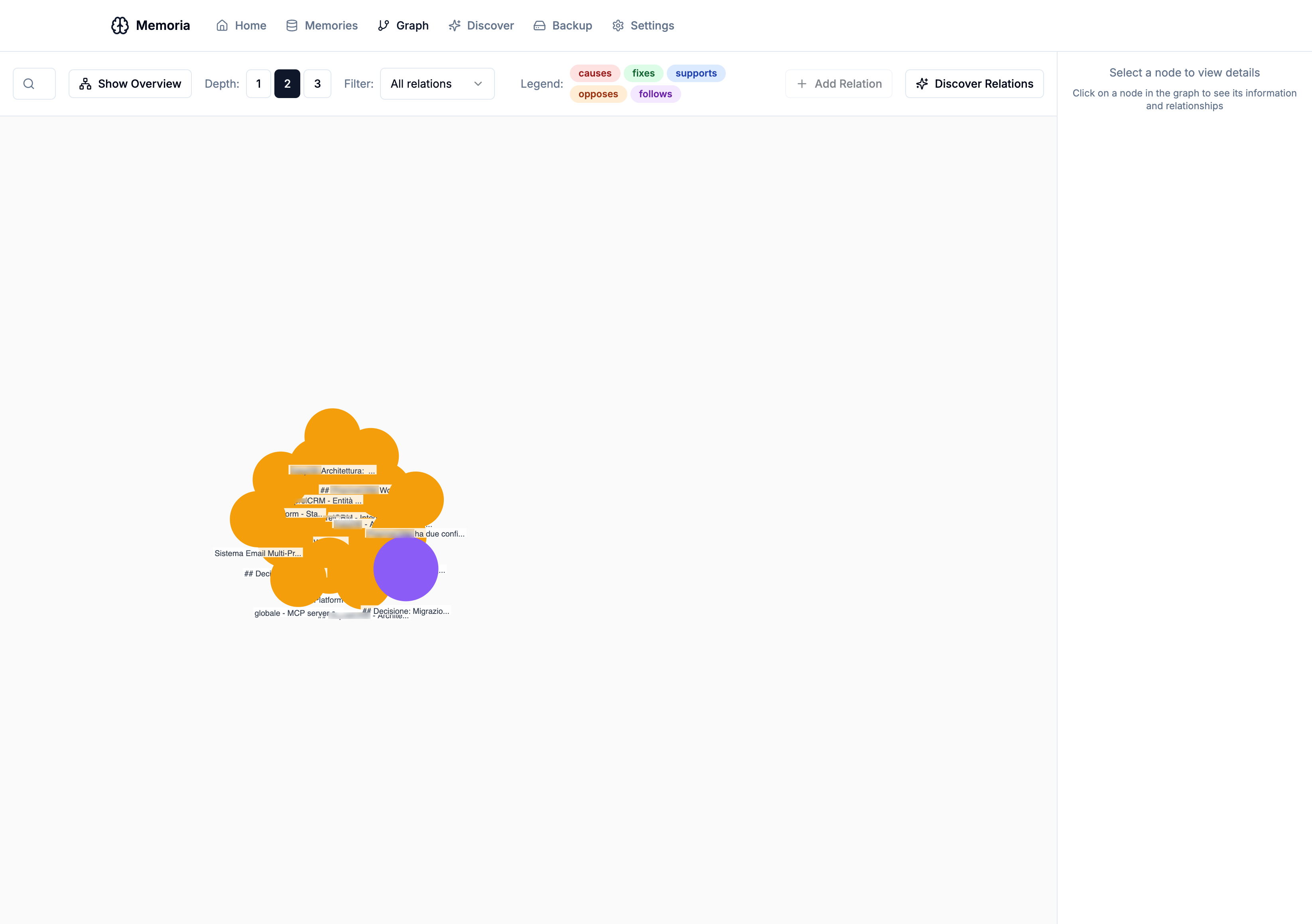
The graph view lets you:
- Explore connections by clicking on any memory node
- Adjust depth (1-3 levels) to see more or fewer relationships
- Filter by relation type (causes, fixes, supports, opposes, follows)
- Create new relations between memories with an intuitive dialog
- Delete relations directly from the sidebar
The graph requires PostgreSQL to store the relation metadata — the vector database handles the memories themselves, while PostgreSQL manages the typed relationships between them.
Memory Browser
The Memory Browser provides a comprehensive view of all your stored memories with filtering and editing capabilities.
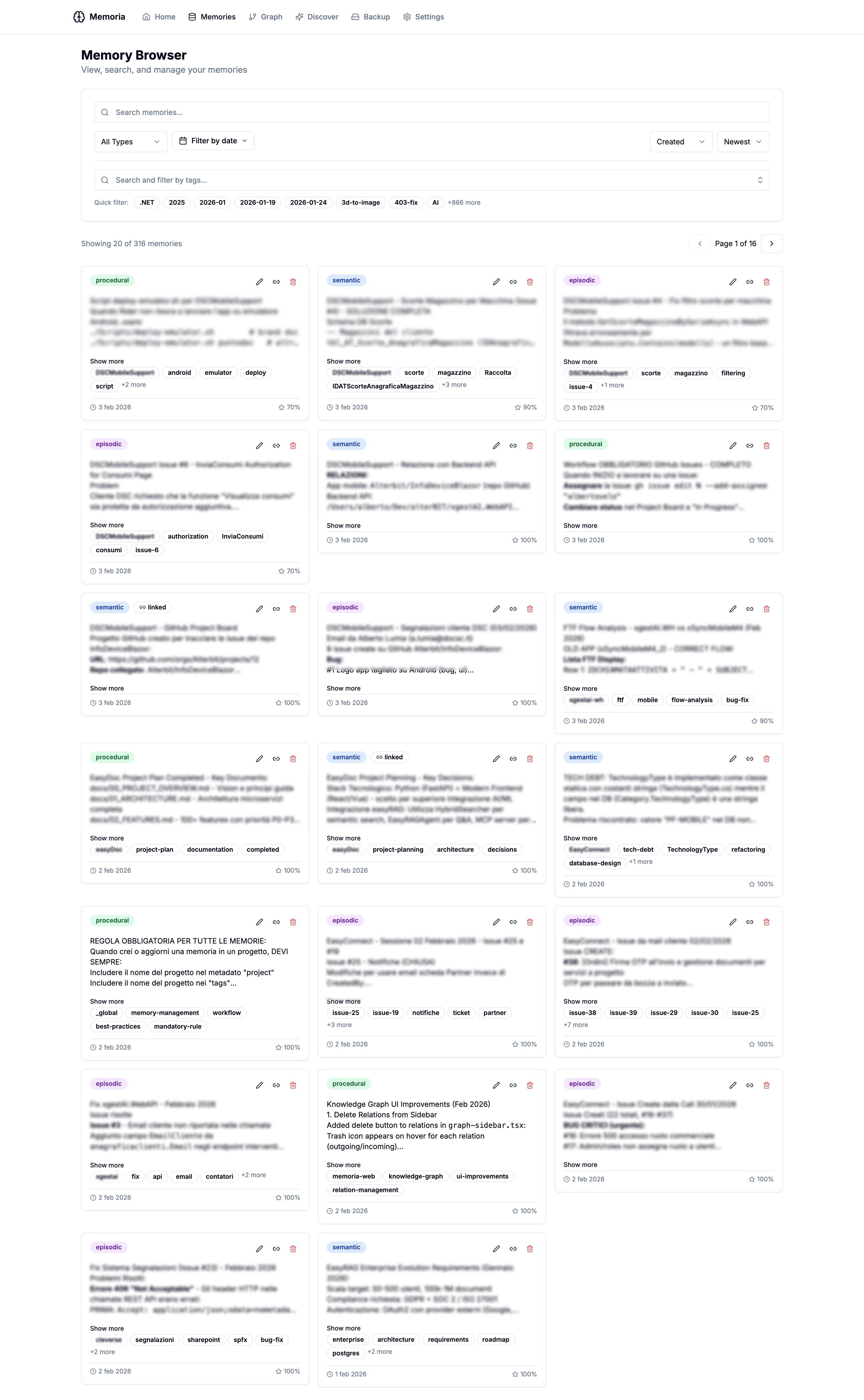
Features include:
- Semantic search — find memories by meaning, not just keywords
- Filter by type — episodic, semantic, or procedural
- Filter by date range — with quick presets like “last 7 days” or “last month”
- Filter by tags — with auto-complete from your existing tags
- Sort options — by creation date, last access, or importance score
- Markdown rendering — memories with formatted content display properly
- Inline editing — update memory content, tags, or importance directly
Discover Relations
Building a knowledge graph manually is tedious. The Discover Relations feature automatically scans your memories and suggests potential connections based on semantic similarity and shared context.
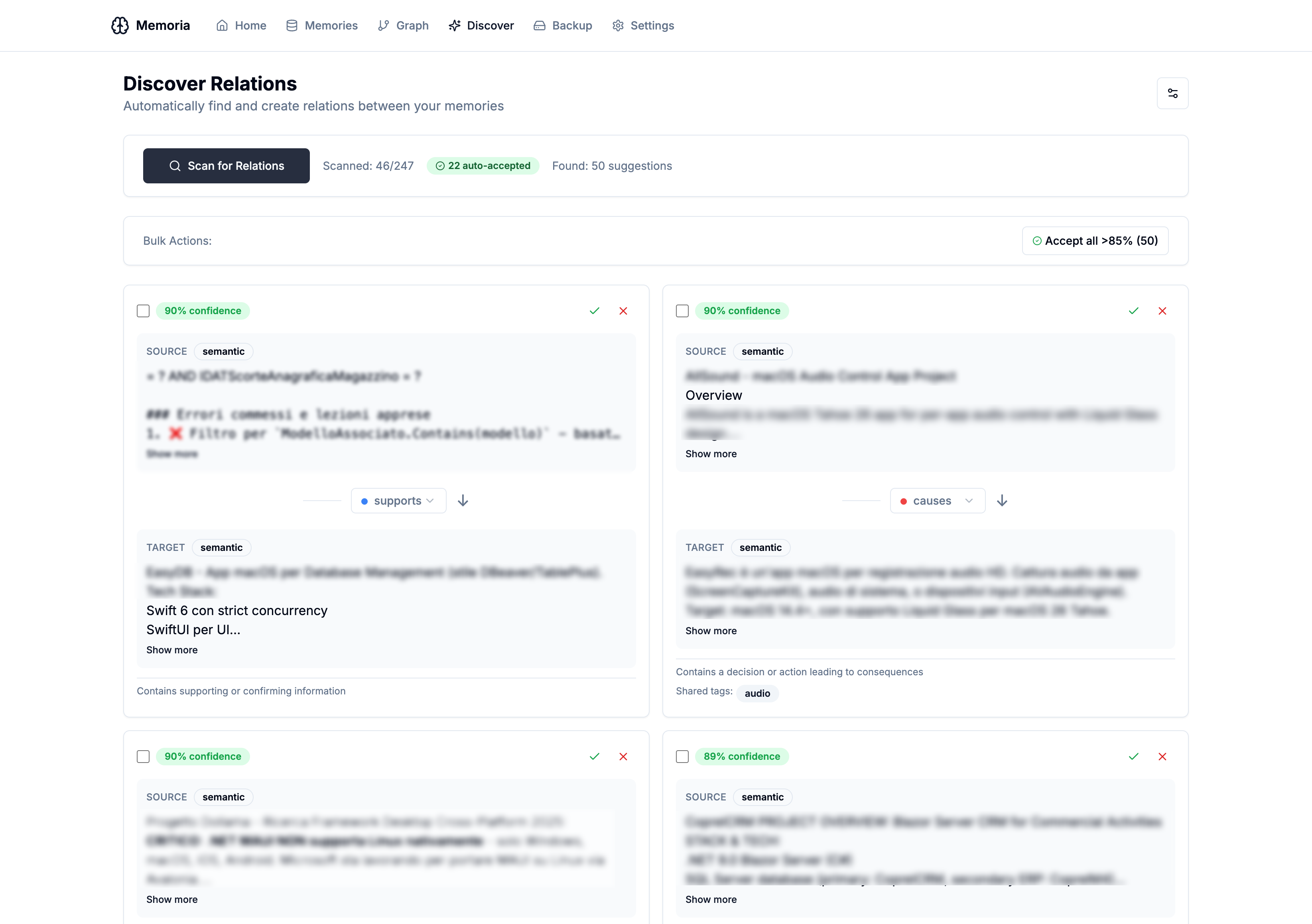
The discovery process:
- Scans pairs of memories across collections
- Analyzes semantic overlap and shared tags
- Suggests a relation type with a confidence score
- Lets you accept, reject, or modify each suggestion
- Supports bulk actions — “Accept all suggestions above 85% confidence”
Discover should help finding connections we missed — a bug fix memory linked to the issue it resolved, a procedure connected to the decision that motivated it. In my own usage it’s giving interesting results. Can it be improved? Absolutely yes. How? You tell me!
Backup & Restore
Data safety matters. The new Backup & Restore page makes it easy to export all your memories and graph relations to a JSON file, and import them back when needed.
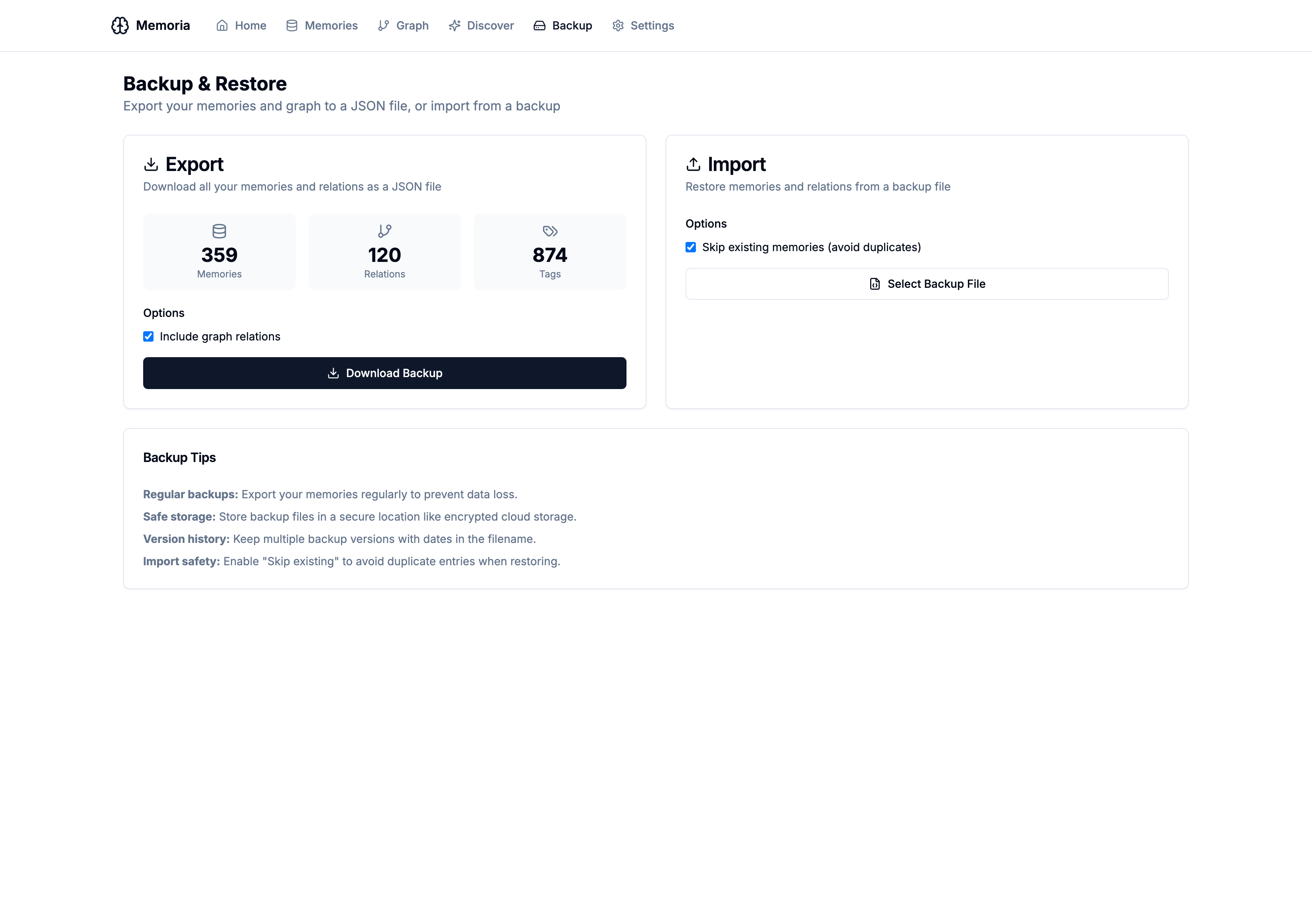
The backup includes:
- All memories across all collections (episodic, semantic, procedural)
- Graph relations with their types and metadata
- Tags, importance scores, and timestamps
Import has a “skip existing” option to avoid duplicates when restoring.
Custom Metadata
Memories now support arbitrary metadata — key-value pairs you can attach to any memory. This is useful for tracking things like:
- Project associations
- Source URLs or document references
- Priority levels
- Custom categories
The metadata flows through all layers: MCP tools, REST API, and Web UI.
Time Tracking (Work Module)
A new Work Module adds time tracking capabilities via MCP tools:
memoria_work_start— Start a work session with category, client, and projectmemoria_work_stop— End the session and record durationmemoria_work_pause/memoria_work_resume— Handle breaksmemoria_work_note— Add notes to the current sessionmemoria_work_report— Generate reports by period, client, or project
Categories include: coding, review, meeting, support, research, documentation, devops.
This lets you track how you spend time directly from Claude conversations — “start tracking time for client X on the API project” — without switching tools.
Architecture
The Web UI is built with:
- Next.js 14 with App Router and React Server Components
- Tailwind CSS with shadcn/ui components
- D3.js for the knowledge graph visualization
- FastAPI backend extending the MCP server with REST endpoints
The UI communicates with Memoria via a REST API that mirrors the MCP tool interface. This means all operations available via Claude are also available via the web interface.
┌─────────────────────────────────────────────────────────┐
│                    Web UI (Next.js)                      │
│  Dashboard │ Memories │ Graph │ Discover │ Backup       │
└────────────────────────┬────────────────────────────────┘
                         │ REST API
                         ▼
┌─────────────────────────────────────────────────────────┐
│              MCP Memoria Server (FastAPI)               │
├─────────────────────────────────────────────────────────┤
│  Memory Manager │ Graph Manager │ Work Tracker          │
├─────────────────────────────────────────────────────────┤
│  Qdrant (vectors) │ PostgreSQL (graph/work) │ Ollama    │
└─────────────────────────────────────────────────────────┘
Getting Started
Grab source code and see details at GitHub.
Briefly…
Option 1: Docker (Recommended)
The easiest way to run the full stack:
git clone https://github.com/trapias/memoria.git
cd memoria/docker
docker-compose -f docker-compose.central.yml up -d
This starts:
- Memoria server with REST API on port 8765
- Web UI on port 3000
- Qdrant for vector storage
- PostgreSQL for graph and time tracking
Open http://localhost:3000 to access the UI.
Option 2: Development Setup
For local development:
# Backend
pip install -e ".[dev]"
MEMORIA_HTTP_PORT=8765 MEMORIA_DATABASE_URL=postgresql://... python -m mcp_memoria

# Frontend
cd web
npm install
npm run dev
Configuration
New environment variables for the enhanced features:
| Variable | Description |
|---|---|
MEMORIA_HTTP_PORT | Enable HTTP/REST mode (e.g., 8765) |
MEMORIA_HTTP_HOST | HTTP bind address (default: 0.0.0.0) |
MEMORIA_DATABASE_URL | PostgreSQL URL for graph & time tracking |
The PostgreSQL database is optional — without it, the core memory features work fine, but Knowledge Graph and Time Tracking are disabled.
Try It
The complete source code is on GitHub: github.com/trapias/memoria
As always, feedback and contributions are welcome. Open an issue for bugs, feature requests, or questions.